


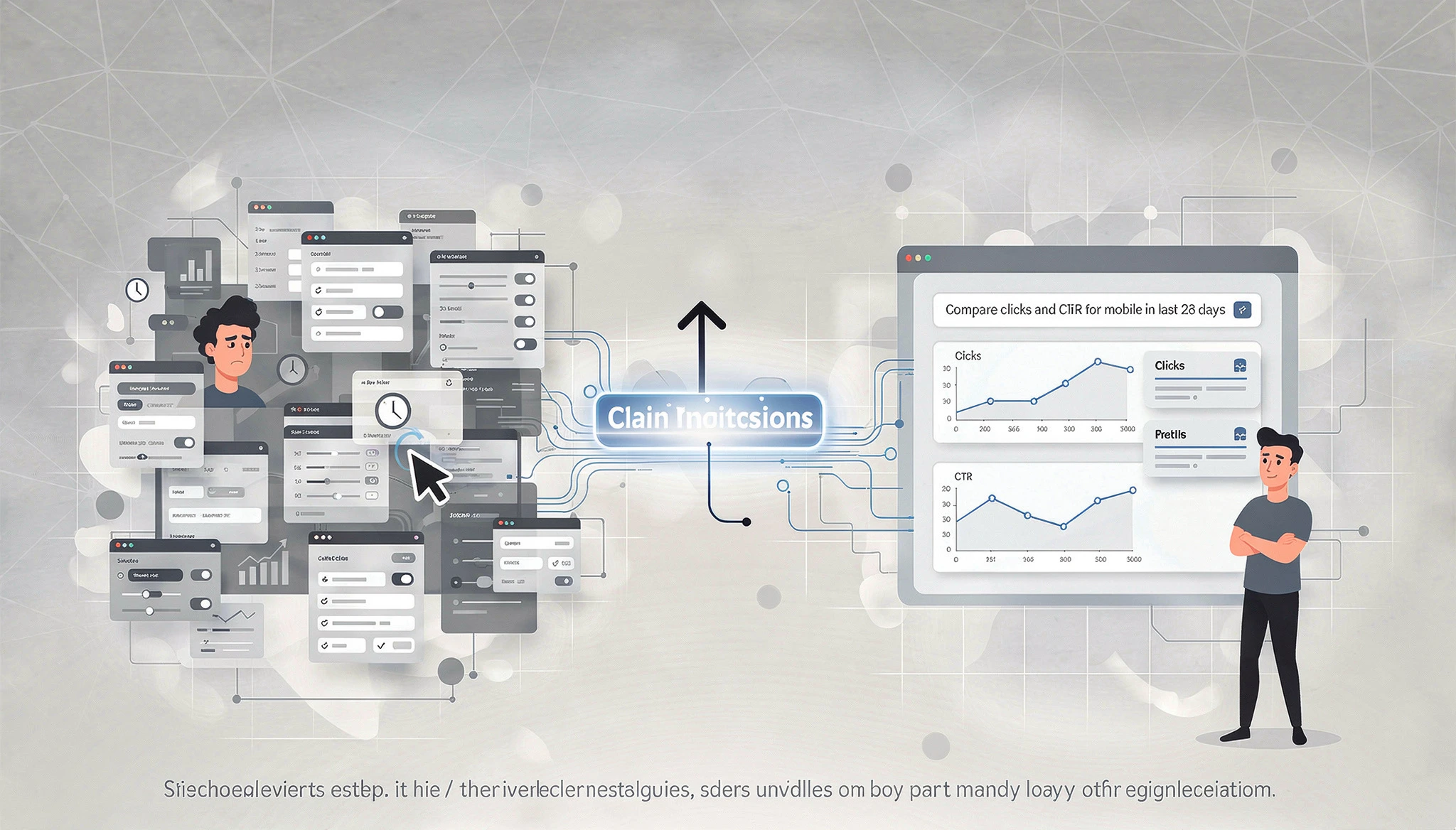
Five clicks to set a filter. Three more for a date comparison. Another two to toggle the right metrics. Do that twenty times a week in Google Search Console, and you have burned through hours doing nothing but configuring reports. That is exactly why Google’s new AI-powered configuration feature matters.
Google just eliminated that friction.
On December 4, 2025, Google quietly announced an experimental AI-powered configuration tool inside Search Console.
After two months of limited testing, it officially rolled out to every Search Console user in February 2026.
The concept is dead simple: type what you want to see in plain English, and the report configures itself.
We have been testing it at Oddtusk since the early access phase and it genuinely changes how fast you can pull insights from the Performance report. This guide covers what the feature does, its boundaries, and the exact prompts that work best.
What Is AI-Powered Configuration in Search Console?
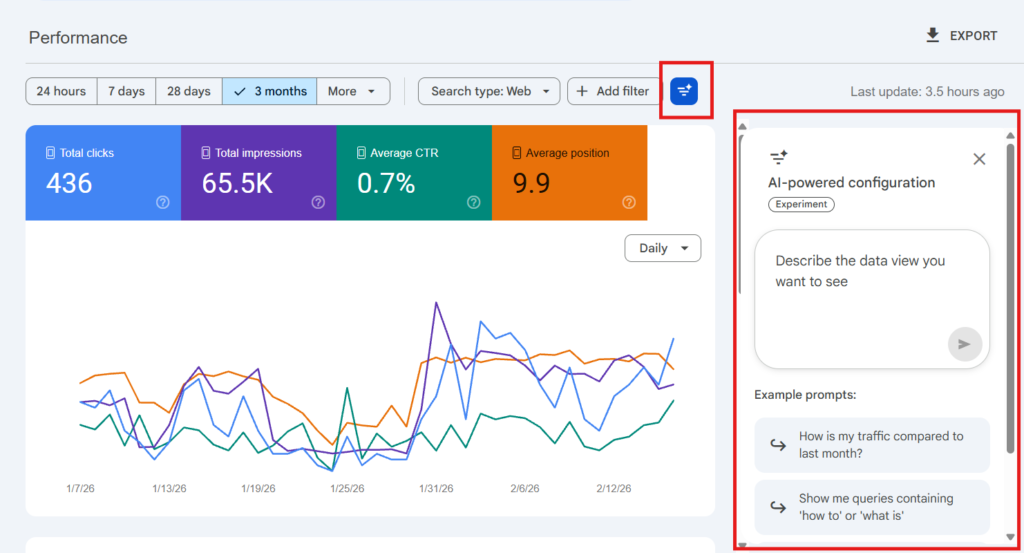
It is a natural language interface built into the Search results Performance report. Instead of clicking through dropdown menus, you describe the analysis you need in a sentence. The AI translates your words into the correct filters, date ranges, and metric selections.
It handles three things:
1) Filters:- Narrow data by query, page URL, country, device, search appearance, or date range
2) Comparisons:- Set up period-over-period or segment-vs-segment comparisons in one sentence
3) Metric selection:- Automatically picks which of the four metrics (Clicks, Impressions, Average CTR, Average Position) to display based on your prompt.
For example, typing “Show me clicks and CTR for queries containing ‘digital marketing’ on mobile in the last 90 days” instantly applies three filters, selects two metrics, and sets the date range & all in one go.
How It Differs From Manual Filters
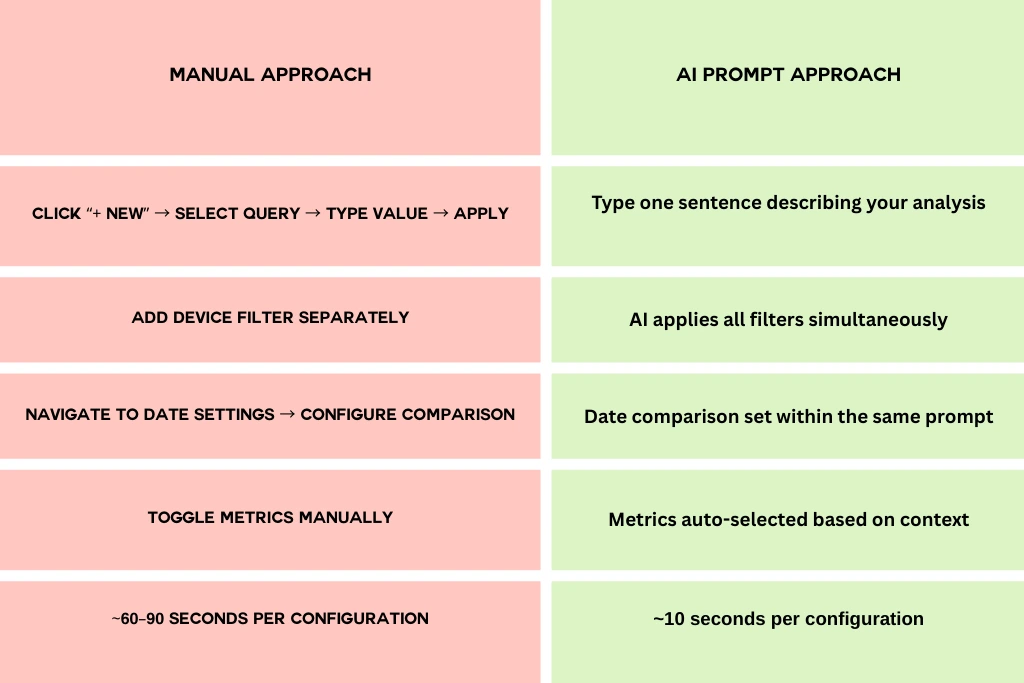
Across 20 weekly analyses, that adds up to roughly 60–100 minutes saved per month
15 AI Prompts Every SEO Team Should Save
We tested dozens of prompts during early access. These 15 consistently produced accurate configurations. Bookmark this section.
Traffic Analysis (Prompts 1–5)
1. Period-over-period check:“Compare total clicks and impressions for the last 28 days versus the previous 28 days”
2. Blog performance review:“Show me clicks and average position for pages containing /blog comparing this quarter to the same quarter last year”
3. Branded traffic isolation:“Show me clicks for queries containing [your brand name] in the last 3 months”
4. Subfolder diagnosis:“Show me clicks and impressions for pages containing /services/ in the last 6 months”
5. Quick-win finder (high impressions, low CTR):“Show me impressions and average CTR for all queries in the last 90 days”
Technical SEO Insights (Prompts 6–10)
6. Mobile vs desktop gap:“Compare average CTR on mobile versus desktop for the last 3 months”
7. Country-level split:“Show me impressions and clicks for queries in India versus United States in the last 6 months”
8. Search appearance breakdown:“Show me clicks and impressions by search appearance in the last 28 days”
9. Keyword cluster tracking:“Show me average position and clicks for queries containing ‘seo services’ on desktop in the last 90 days”
10. Device-specific position shifts:“Show me average position for all queries on mobile comparing last month to the month before”
Client Reporting & Agency Use (Prompts 11–15)
11. Quarterly report setup:“Compare clicks, impressions, and average CTR for this quarter versus the previous quarter”
12. Regional campaign performance:“Show me clicks and impressions for queries in Germany in the last 6 months”
13. Landing page group analysis:“Show me clicks and average position for pages containing /products/ comparing last 28 days to previous 28 days”
14. Year-over-year growth:“Compare total clicks for the last 12 months versus the previous 12 months”
15. Content hub review:“Show me clicks and average position for pages containing /resources/ in the last 90 days”
Need help optimizing your Search Console workflow? Talk to the Oddtusk SEO team → contact
How This Fits Into Your SEO Reporting Workflow
- Morning pulse checks: One prompt comparing yesterday to the day before. Thirty seconds. Anomalies spotted. Move on.
- Weekly stand-ups: Someone asks about mobile trends? Type the prompt live during the meeting instead of saying “I’ll pull that later.”
- Monthly client reports: Five to ten report configurations that used to take 10–15 minutes of clicking now take under three minutes of typing.
- Traffic drop investigations: Fire off three or four prompts in rapid succession — was it mobile-specific? Blog or product pages? One country? You identify the pattern in under a minute.
The Bigger Picture: AI Is Reshaping Google’s SEO Tools
This feature is not an isolated update. It is part of a clear pattern Google has been building throughout 2025–2026:
1) April 2025: Search Analytics API gains hourly data support
2) October 2025: Query groups launch in Search Console Insights
3) November 2025: Branded queries filter and custom chart annotations introduced
4)December 2025: AI-powered configuration announced
5) February 2026: Full rollout to all users
Google is transforming Search Console from a static data viewer into an intelligent analysis platform. Each release reduces the steps between a question and an answer. Expect this to expand. Discover and News support, natural language API queries, and potentially AI-driven diagnostic summaries that explain why your traffic changed, not just that it changed.
Key Takeaways
- It is live for everyone. Open GSC, go to Performance, look for the AI prompt bar.
- Save the 15 prompts above. They cover the scenarios you run into every week.
- Always verify filters. The AI is good, not perfect. Two seconds of checking saves hours of wrong conclusions.
- Use it for speed, manual for precision. AI for common setups; manual filters for regex and complex layered analysis.
- Adopt early. Teams that normalize AI-assisted analysis now build compounding workflow advantages.
FAQs On GSC AI Configuration
What is AI-powered configuration in Google Search Console?
A natural language interface in the Performance report that lets you type a plain-English description of the analysis you need. The AI applies the correct filters, date ranges, and metric selections automatically.
How do I access it?
Log into Search Console, open the Search results Performance report, and click the “New! Customize your Performance report using AI” banner at the top.
Does it work for Discover and News reports?
Not yet. As of February 2026, it is limited to the Search results Performance report only.
Can the AI sort tables or export data?
No. It handles configuration only — filters, comparisons, and metrics. Sorting and exporting must be done manually or via the Search Analytics API.
What if the AI misinterprets my prompt?
Always check the filter chips applied to the report before drawing conclusions. If something looks wrong, remove the incorrect filter and rephrase your prompt with more specific language.
What kind of prompts work best?
Specific ones. Name exact metrics, use clear date ranges, include URL paths with slashes, and stick to one request per prompt. Avoid vague words like “recently” or “performance.”
Is this available for all Search Console users?
Yes. Google confirmed full rollout to all users in February 2026.